

Описание
Country dropdown for contact form 7 with dynamic states and cities. Country State City Dropdown CF7 plugin is an add-on of Contact Form 7 plugin to show country, state and city dropdown. This plugin add three new form tag fields that is (form-tag: country drop-down) and (form-tag: state dropdown) and (form-tag: city dropdown) in Contact form 7.
Country State City dynamic dropdown PRO supports to any form.
Features Of PRO Plugin
1. Supports to any type of Form (WP Forms, Ninja, Divi Contact Module, Elementor Module, Custom PHP Form etc).
2. Select Default Country with User’s IP.
3. Select Default Specific Country from list of All Countries.
4. Select Specific one or more Countries to display in the dropdown.
5. If State/City is missing then shows input text field to enter manually.
6. Have feature to add missing states/cities manually.
7. Multiple forms on same page.
8. Multiple country/state/city fields in same form.
9. Append only Cities from Country Dropdown.
10. See more at Official Website Trusty Plugins
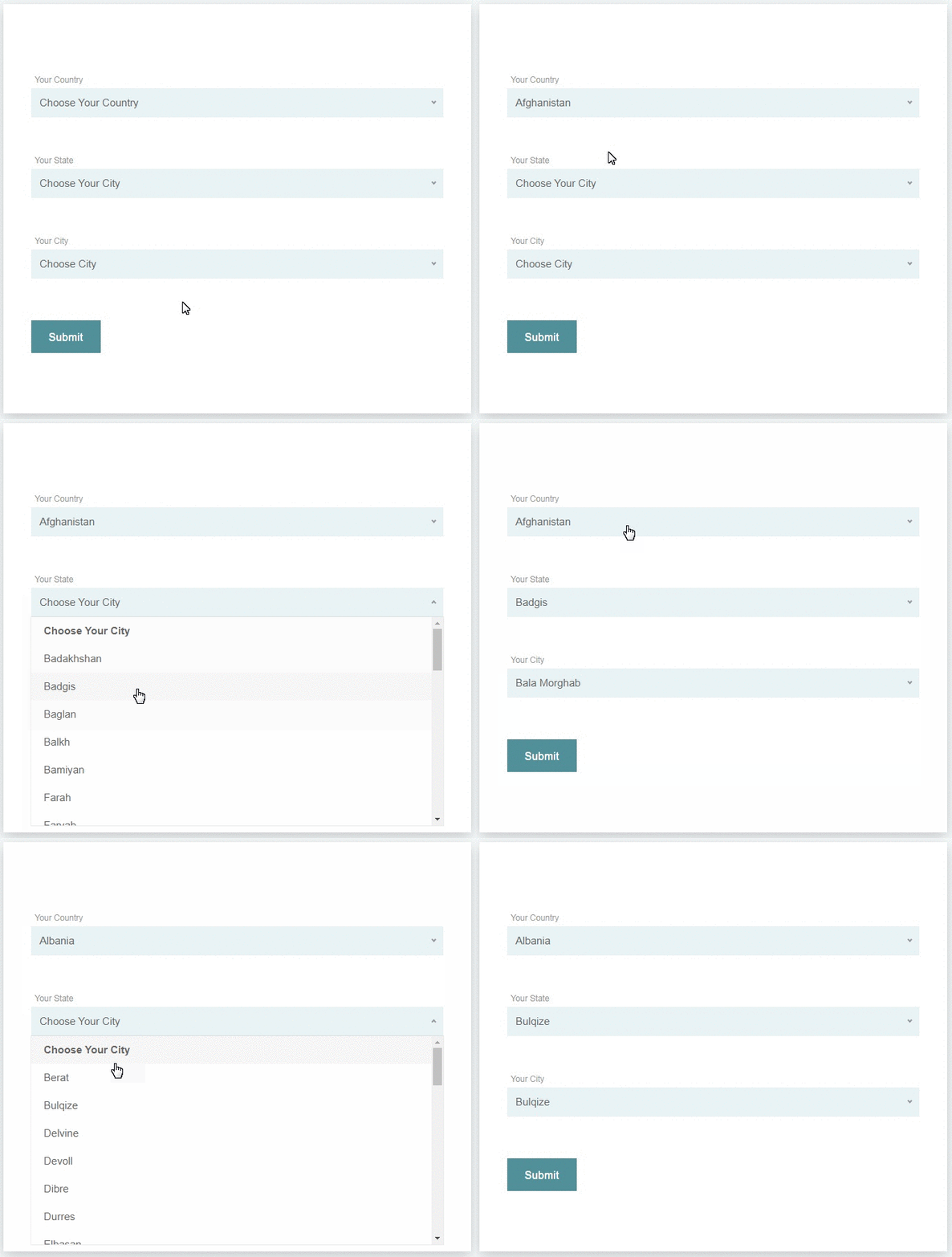
This helps you in creating a country drop-down list with state and city. The tag field will automatically add countries name in standard drop-down field of contact form 7. State and city auto populate according to selected country from country dropdown field.
How to add the fields in the contact form 7
1.) Once you have installed, activated the Country State City Auto Dropdown plugin.
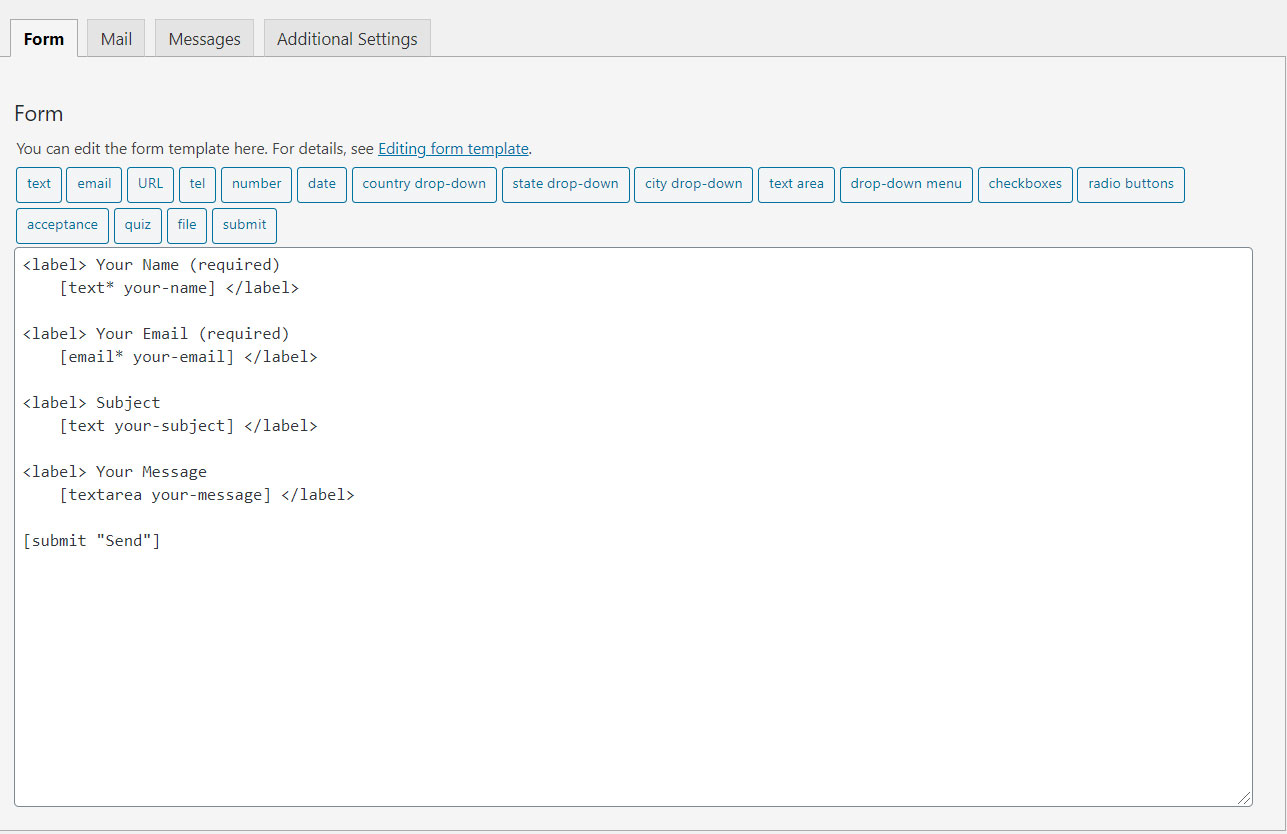
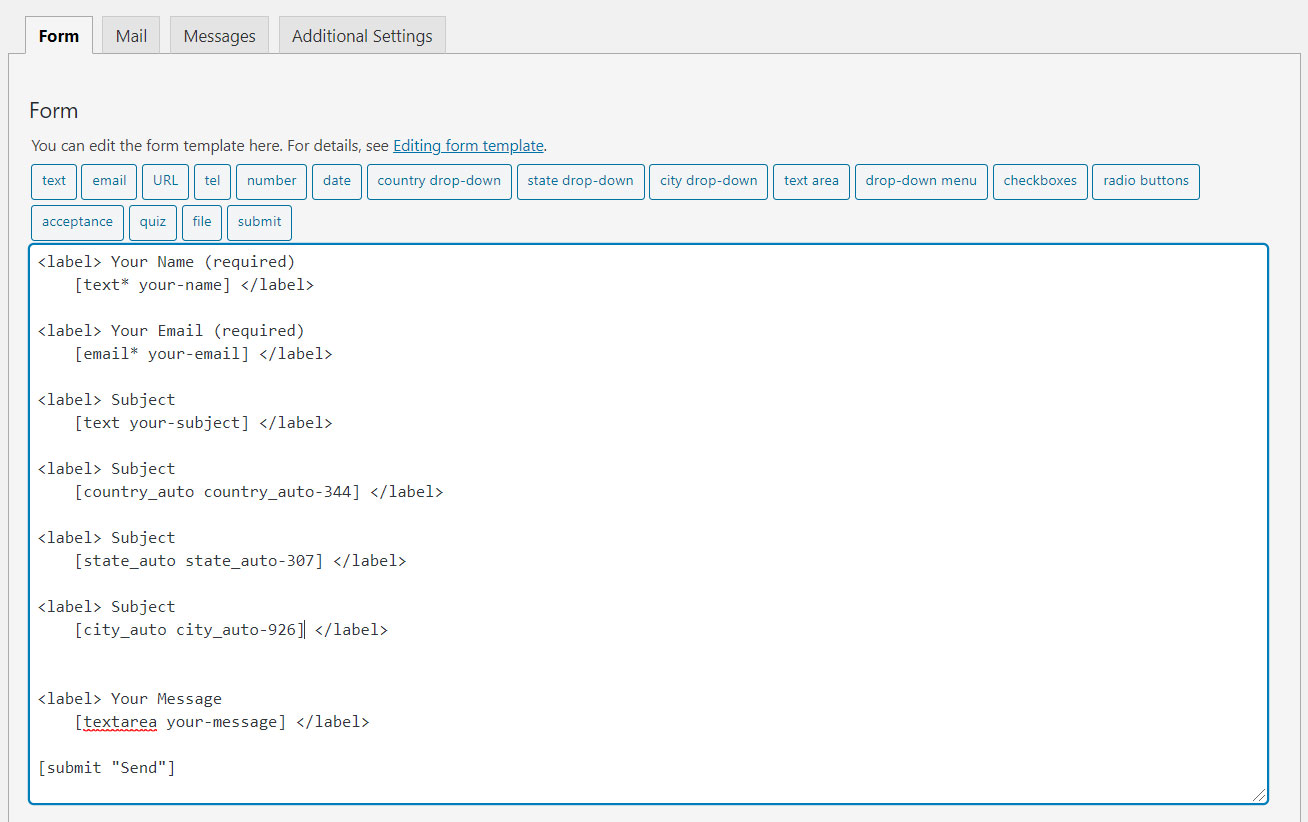
2.) Add the form-tag „country drop-down“ and „state dropdown“ and „city dropdown“ to your form and save the changes.
Optional: if you use two location sets in one form, add the same group option on each tag, e.g. [country_auto* country-shipping group:shipping].
City is optional — country + state only works if you omit the city drop-down tag.
Use the tag generator to set a custom placeholder (enter text and check “Use this text as the placeholder”).
Requirments:
* Contact form 7 must be active plugin.
Recommended Plugins
The following plugin is recommended :
* Contact Form 7 by takayukister – With Conact Form 7, you can use this plugin. Without contact form 7 this plugin have no needs.
Снимки на разширението
Инсталиране
- Upload the entire
country-state-city-dropdown-cf7folder to the/wp-content/plugins/directory. - Kindly make sure ‘contact form 7’ plugin active before activate this plugin.
- Activate the plugin through the ‘Plugins’ menu in WordPress.
- Add form tags in desired contact form
You will find three new field types in your contact form 7 field list.
ЧЗВ
-
How to set preferred countries list?
-
All countries display in the free version. Filtering countries, default country, and IP detection are available in the PRO version.
-
How to set State list?
-
All States will display automatically according to selected country from dropdown field.
-
How to set City list?
-
All Cities will display automatically according to selected country and state from dropdown field.
-
Will updating delete my data?
-
No. Updates keep your existing country/state/city tables and form tags. Settings Country State City Dropdown shows data health and optional repair tools.
-
Dropdowns are empty after install
-
Go to Settings Country State City Dropdown and use “Install missing data”. Use Force reinstall only if data is corrupted.
Отзиви


Сътрудници и разработчици
“Country State City Dropdown CF7” е софтуер с отворен код. Към разширението са допринесли следните хора:
Сътрудници
“Country State City Dropdown CF7” е преведено на 7 езика. Благодарности на преводачите за техния принос.
Превеждане на “Country State City Dropdown CF7” на вашия език.
Имате интерес към разработване?
Преглеждане на кода, разглеждане на SVN хранилище, или абонамент към програмната история (log) чрез RSS.
Списък с промени
2.8.0
- Safer upgrades for existing sites: never re-seeds or renames tables when data already exists
- Adds database indexes for faster state/city AJAX
- Loads front-end script only when Contact Form 7 is present (filter to force legacy all-pages load)
- Translatable placeholders and validation messages
- Optional group:xxx tag option + smarter pairing for multiple location fields
- Settings page: data health, install missing data, softer Pro link
- Security/hardening: fixed SQL prepare usage, capability checks, sanitization
- Client-side AJAX cache for states/cities (faster when revisiting a country)
- Disabled + loading states on dependent dropdowns (aria-busy)
- Tag generator: placeholder, ID, class, and group fields
- Documented country + state only mode (city tag optional)
- Custom placeholders via CF7 placeholder option
2.7.6
- Form Tag generator upgraded to version 2 [contact form 7]
2.7.5
- Validation error issue has been fixed.
2.7.4
- State, City List not appending (Issue Fixed)
2.7.3
- Plugin vulnerability Fixed
2.7.2
- vulnerability Fixed
2.7.1
- ABSPATH function added to files
2.7
- Added support to multiple CF7 forms on page
- Added Missing ‘West Bengal’, ‘Ladakh’ State/Cities Updated
- A Patch feature added to fix missing State/Cities
2.6
- Javascript Bug Fixed
2.5
- Bug Fixed
2.4
- internationalization and localization
2.3
- Bug Fixed
2.2
- Plugin’s PRO version has been released
2.1
- Fixed the issue of Alphabetical order of States/Cities
2.0.0
- Added many more missing cities
- Added missing States
1.0.0
- First version of plugin.