Описание
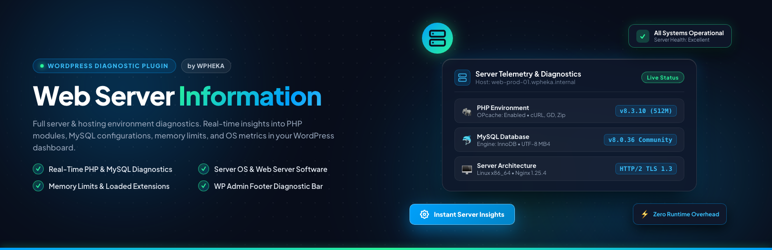
Web Server Information plugin allows you to check full information about the web server PHP/Mysql configurations including libraries, system type and OS version.
Features List:
- Display server OS
- Display server software
- Display server IP address
- Display server port
- Display server location detected by ip address using IP-API.com .See Terms and Policies.
- Display server hostname
- Display server document root
- Detailed information about the PHP version you are using and installed modules.
- Detailed information about your Database.
- Display PHP, Mysql, Web server, WordPress version info in admin footer.
If you enjoyed this plugin then please put a review, that will encourage me to bring some more …
Снимки на разширението


Инсталиране
- Upload ‘wpheka-web-server-information’ to the ‘/wp-content/plugins/’ directory or install the plugin through the WordPress plugins screen directly.
- Activate the plugin through the ‘Plugins’ menu in WordPress
- Go to Admin area -> WPHEKA -> Web Server Information
- Done!
ЧЗВ
-
How It Works?
-
check installation
Отзиви
There are no reviews for this plugin.
Сътрудници и разработчици
“Web Server Information” е софтуер с отворен код. Към разширението са допринесли следните хора:
Сътрудници

Превеждане на “Web Server Information” на вашия език.
Имате интерес към разработване?
Преглеждане на кода, разглеждане на SVN хранилище, или абонамент към програмната история (log) чрез RSS.
Списък с промени
1.8.1 – 2026-08-23
- Fix – The „Plugin URI“ header pointed at a page that no longer exists, so „Visit plugin site“ and the plugin directory listing both led to a 404. It now points at the Web Server Information product page.
1.8 – 2026-08-22
- Feature – The server information shown in the admin footer can now be switched off, from a toggle at the bottom of the Overview tab. It stays on by default.
- Feature – Asks for a review on the Dashboard once the plugin has been used, with a link that pre-selects a five-star rating. Shown only after three visits to its own screen, dismissed per user rather than for the whole site, and never shown again once dismissed.
- Security – Escaped all admin output and guarded direct reads of server variables.
- Fix – The menu and the tab labels are translatable. Two strings also used the wrong text domain, so they never reached translation tools.
- Fix – On a network, settings are saved to the same place they are read from. Activating for all sites previously wrote them per site while the plugin read a network-wide value, so the settings appeared empty.
- Fix – Removed a way the admin menu could fail outright when an incomplete framework build was present on the site.
- Fix – The Domain Path header pointed at a languages folder that did not exist. The folder and a translation template are now included.
- Enhancement – The screen now appears under the shared WPHEKA menu.
- Enhancement – Requires PHP 8.1 and WordPress 5.1. WordPress 7.1 compatibility added.
1.7 – 2026-02-12
- Fix – Fixed PHP 8.0+ undefined array key warning when accessing invalid tab.
- Security – Added proper output escaping for tab URLs and labels.
- Security – Added escaping for SERVER_SOFTWARE variable in admin footer.
- Enhancement – WordPress version 6.9.1 compatibility added.
1.6 – 2025-05-13
- Enhancement – WordPress version 6.8.1 compatibility added.
1.5 – 2024-11-30
- Enhancement – WordPress version 6.7.1 compatibility added.
1.4 – 2023-08-24
- Enhancement – WordPress version 6.3 compatibility added.
1.3 – 2022-05-25
- Enhancement – WordPress version 6.0 compatibility added.
1.2 – 2022-05-24
- Fix – PHP 8.0 Warning: __wakeup() must have public visibility.
1.1 – 2021-08-13
- Enhancement – WordPress version 5.8 compatibility added.
1.0 – 2020-07-29
- Initial release