
Описание
This is a (very) simple plugin for embedding a Google Analytics (GA) tracking code in your site. It has two features:
- It stores the GA code as a site setting. This means no modifying theme files, which is especially useful in a Multisite context;
- The GA code is NOT inserted for logged-in users, meaning you won’t run up your visitor counts as you administer your site;
And that’s it! It works with Google’s „Asynchronous“ tracking code, which goes in the page’s head.
Снимки на разширението
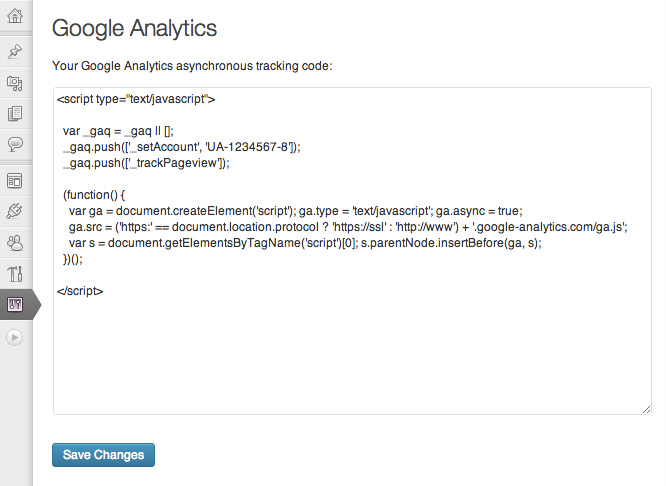
Paste your Google Analytics tracking code into the box
Инсталиране
- Install and activate the plugin, in the normal way;
- Go to Google Analytics and follow the various steps to generate your tracking code. Copy the entire tracking code to your clipboard;
- From your site’s Dashboard, navigate to Settings -> Google Analytics;
- Paste your tracking code into the large box and click „Save Changes“;
That’s it!
Отзиви
There are no reviews for this plugin.
Сътрудници и разработчици
“Carolyn Google Analytics” е софтуер с отворен код. Към разширението са допринесли следните хора:
Сътрудници
Превеждане на “Carolyn Google Analytics” на вашия език.
Имате интерес към разработване?
Преглеждане на кода, разглеждане на SVN хранилище, или абонамент към програмната история (log) чрез RSS.