
Описание
Send customer emails to a Mailchimp list at the completion of a Cart66 transaction. Customer will receive a confirmation email from Mailchimp to opt-in.
Снимки на разширението
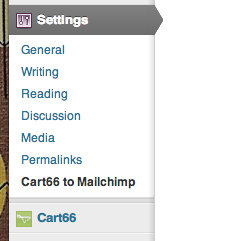

Инсталиране
To Install Cart66 to Mailchimp
- Download the cart66-to-mailchimp.zip file
- Extract the zip file so that you have a folder called ‘cart66-to-mailchimp’
- Upload the ‘cart66-to-mailchimp’ folder to the
/wp-content/plugins/directory - Activate the plugin through the ‘Plugins’ menu in WordPress
- Configure your settings in the Settings panel
To Uninstall Cart66 to Mailchimp
- Deactivate Cart66 to Mailchimp thorugh the ‘Plugins’ menu in WordPress
- Click the „delete“ link to delete the Cart66 to Mailchimp plugin. This will remove all of the Cart66 to Mailchimp files from your plugins directory and will delete the data used by Cart66 to Mailchimp.
Отзиви
There are no reviews for this plugin.
Сътрудници и разработчици
“Cart66 to Mailchimp” е софтуер с отворен код. Към разширението са допринесли следните хора:
Сътрудници
Превеждане на “Cart66 to Mailchimp” на вашия език.
Имате интерес към разработване?
Преглеждане на кода, разглеждане на SVN хранилище, или абонамент към програмната история (log) чрез RSS.