

Описание
The Innovative WordPress Form Builder Plugin
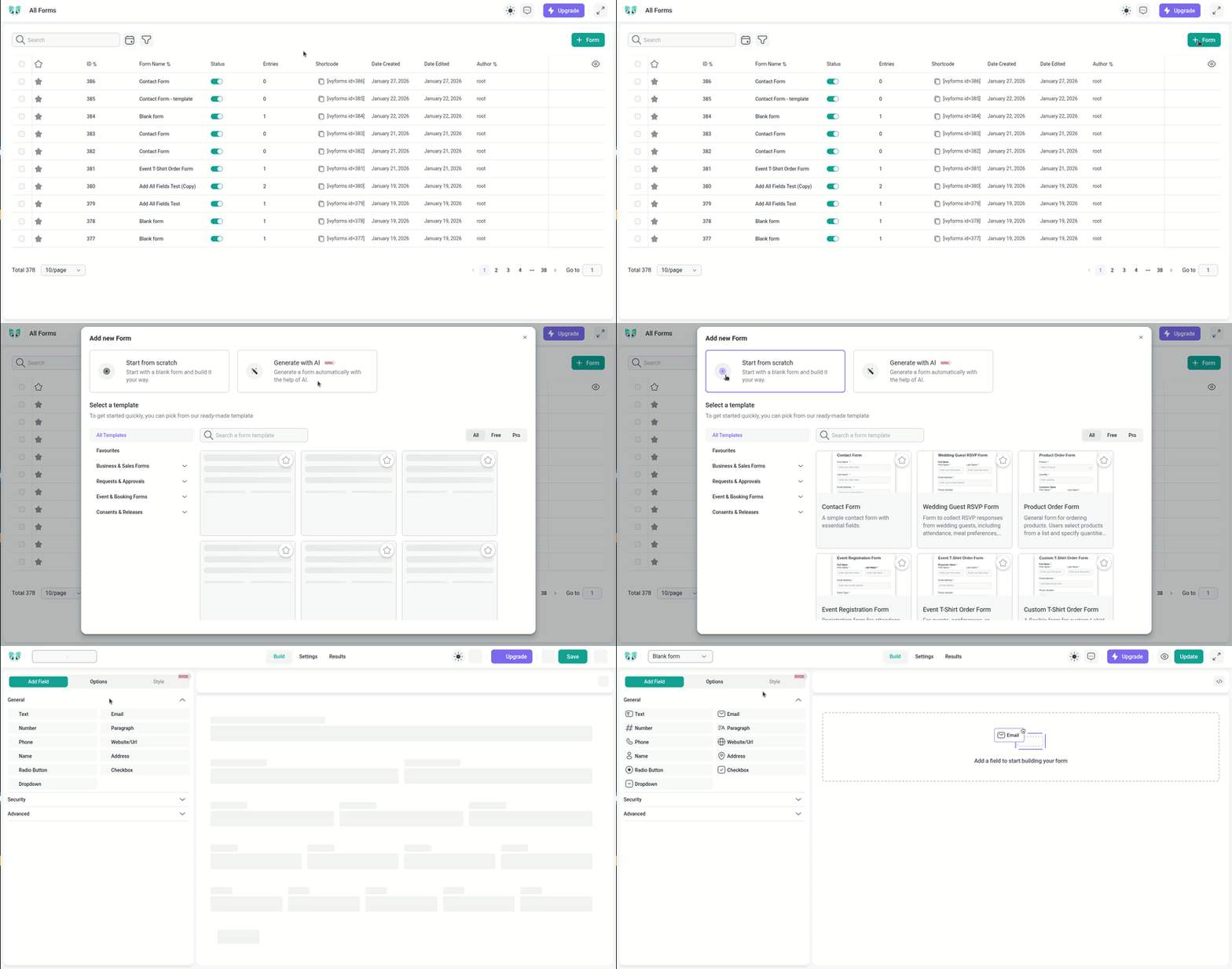
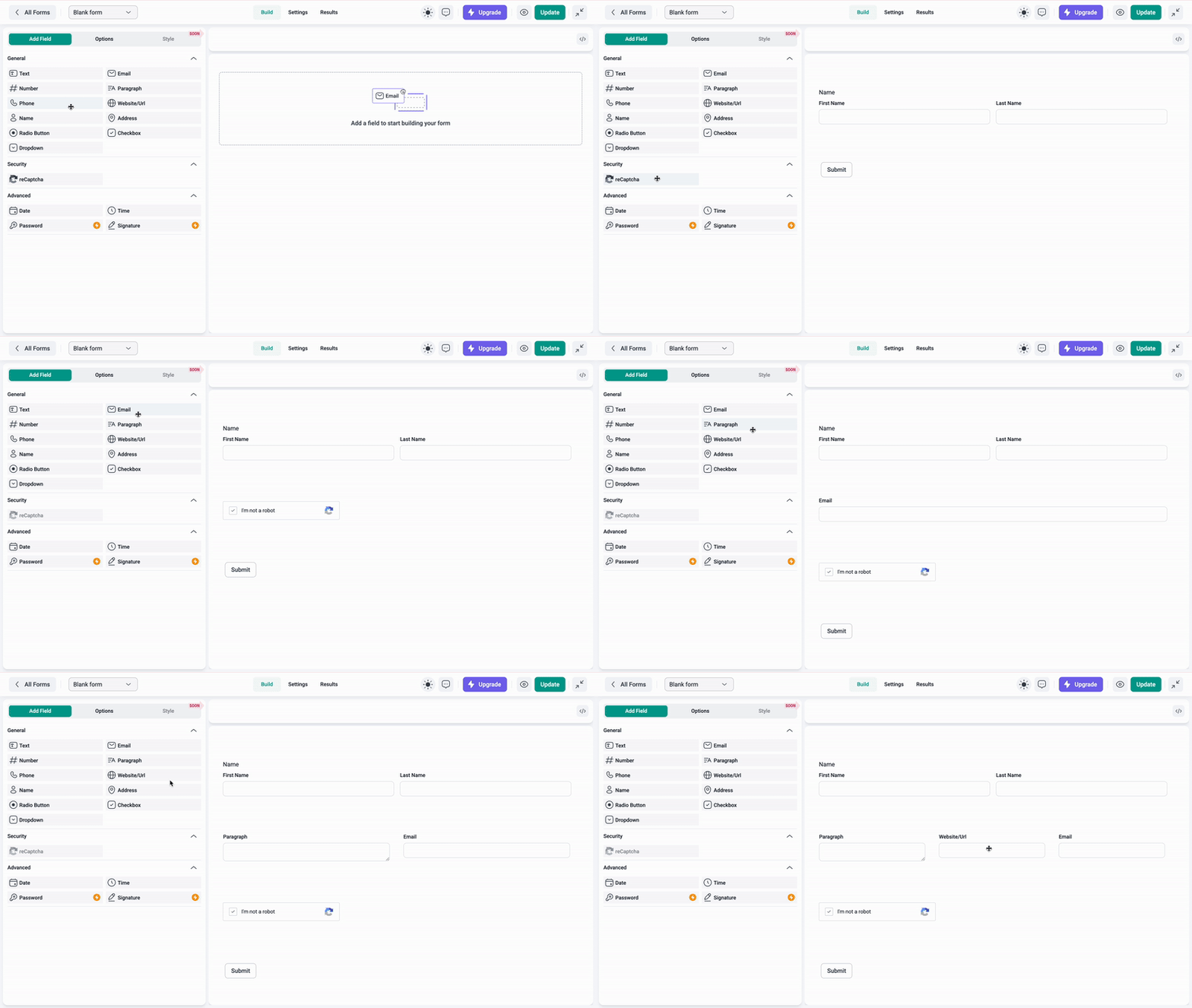
IvyForms is an innovative drag-and-drop form builder for WordPress that turns form creation into minutes of work instead of hours. Build contact forms, order forms, registration forms, surveys and any custom form you need – on a single screen, with no code and no developer.
One-screen form creation, drag-and-drop fields, a real-time preview and ready-made templates mean less setup frustration, a faster launch, and more time to focus on the results your forms bring in.
Why Build Your Forms with IvyForms
- Launch faster – Go from idea to published form in minutes with one-screen creation and ready-made templates, so your campaigns never wait on your forms.
- No code, no developer – Reorder fields and set labels, placeholders, colors and layout with simple visual controls – keeping your budget and your timeline intact.
- Grows with your skills – Beginners get a clear, welcoming interface, while advanced users get the flexibility to fine-tune every element.
- Never get stuck – Email support, detailed documentation with screenshots and videos, and onboarding tutorials mean faster answers and less downtime.
- From simple to complex – Whether it’s a basic contact form or a multi-step form, you get the same smooth, enjoyable building experience.
IvyForms Lite | Free Features & Integrations
Drag & Drop Form Builder
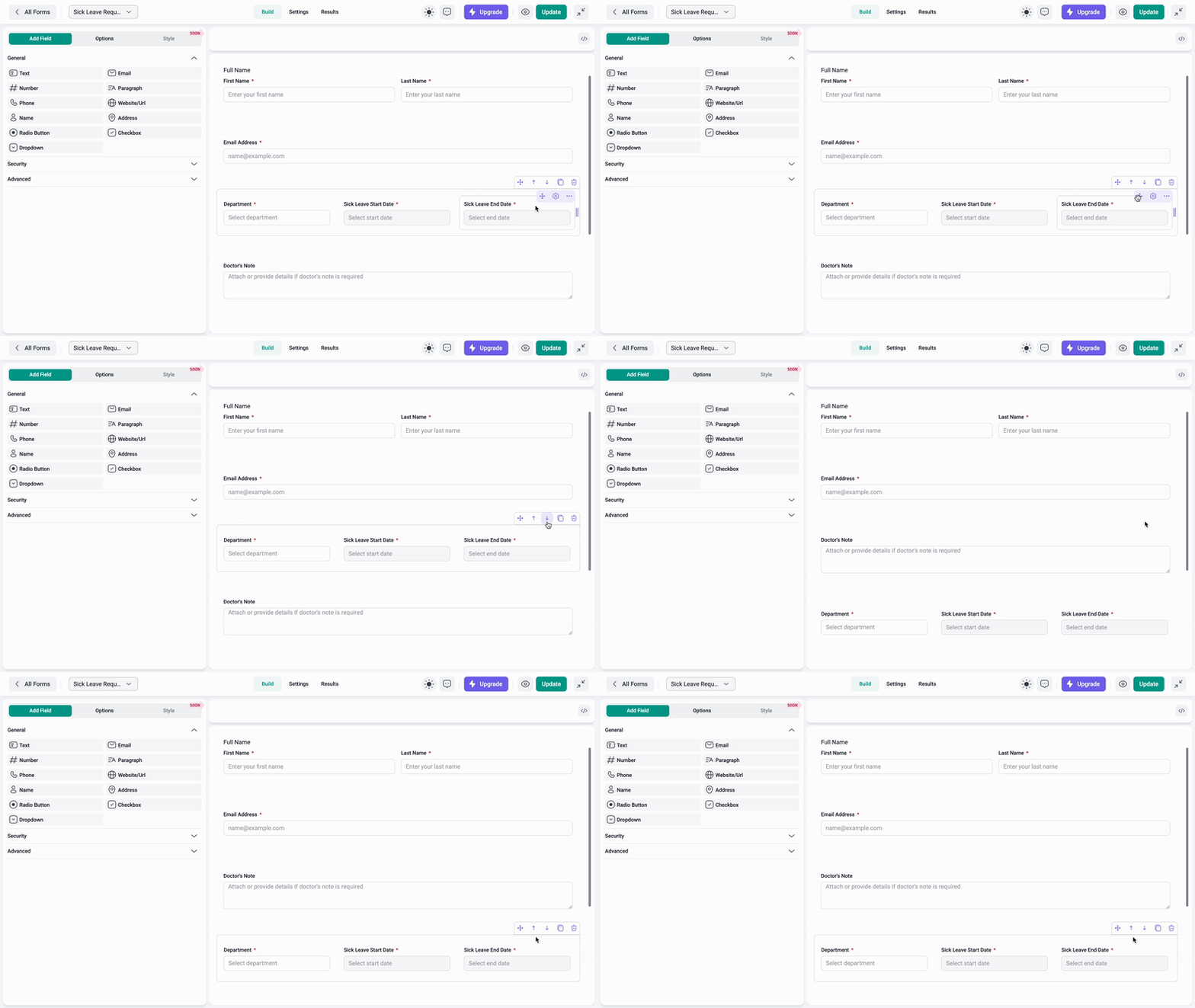
Build professional forms in minutes – drag, drop and customize fields to get exactly what you need, without writing a single line of code.
Gutenberg Block
Drop any form straight into the WordPress block editor, so publishing a form is as easy as adding a paragraph.
Elementor Integration
Add and manage your forms natively inside Elementor and keep your entire page-building workflow in one place.
Angie AI
Let the Elementor AI agent build and edit forms for you, turning a plain description into a ready-to-use form.
MCP Support
Connect AI agents through the Model Context Protocol (WordPress 6.9+) so forms can be created and managed automatically – no manual clicking.
Dozens of Ready-to-Use Templates
Skip the blank page. Start from proven templates for contact, order, registration, booking, and feedback forms and publish in minutes.
20+ Form Fields
Capture exactly the data you need – from names and emails to file uploads and product orders (full list below).
Permissions
Give the right people the right access with role- and user-based permissions, keeping your forms and data under control.
File Upload Field
Let users attach documents, images and files to their submissions – perfect for applications, support and job forms.
Undo & Redo
Experiment freely and step backward or forward at any time, so you never lose your work while building.
Import / Export with Styles
Move complete forms – styling included – between sites in seconds and save hours of rebuilding.
Amelia Integration + Amelia Theme
Connect IvyForms with Amelia bookings and apply the matching Amelia theme for a consistent booking experience.
Google Sheets Integration
Send every entry straight to Google Sheets for real-time collaboration, reporting and sharing – with no manual export.
Embedded Forms
Place any form anywhere on your site with a simple shortcode for maximum reach and flexibility.
Submission Confirmations
Guide users after they submit with a custom success message or a redirect to your thank-you page.
Email Notifications
Get instant email alerts on every submission so you can follow up on leads and never miss an entry.
Spam Protection
Keep submissions clean and trustworthy with built-in Google reCAPTCHA, hCaptcha and Turnstile.
Entry Management
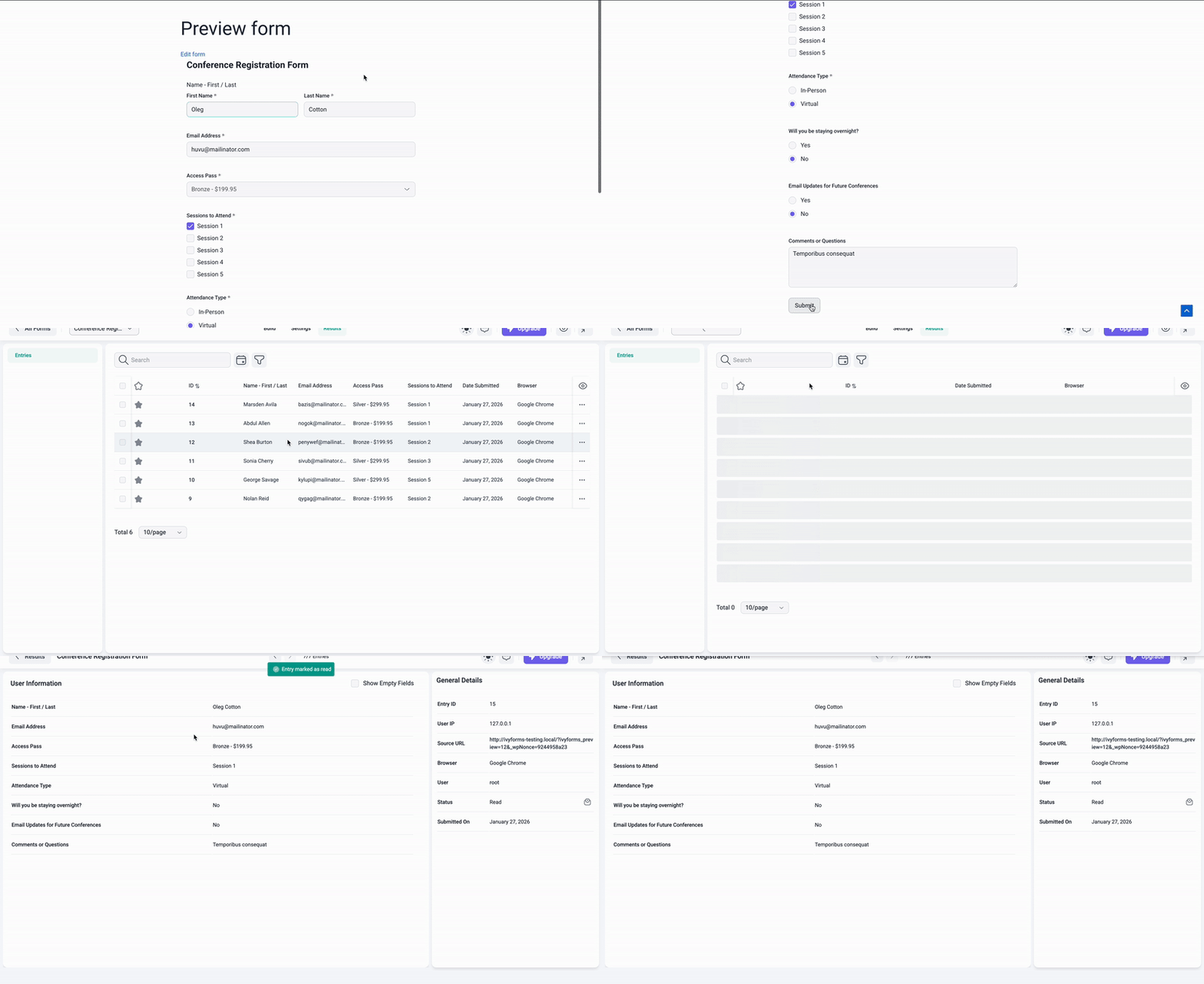
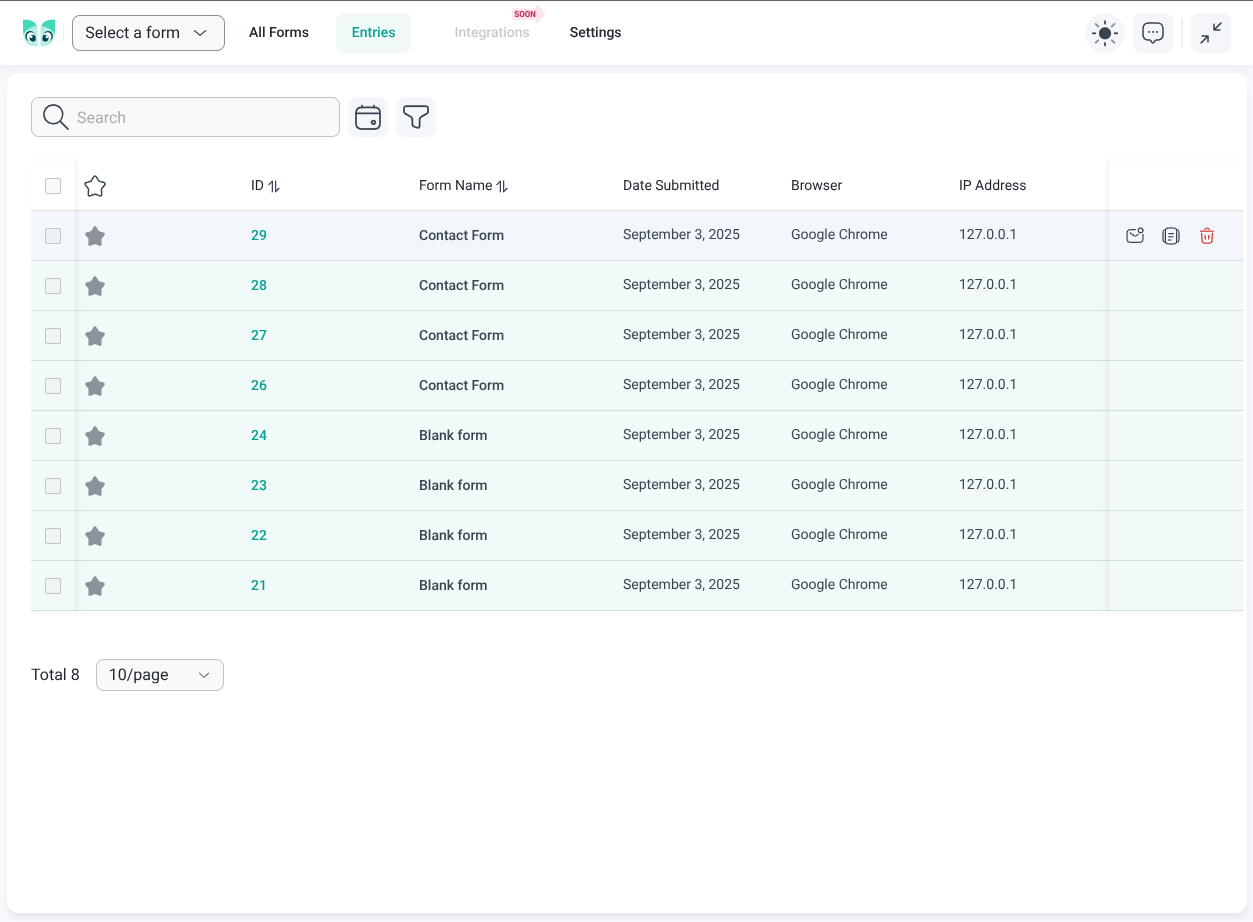
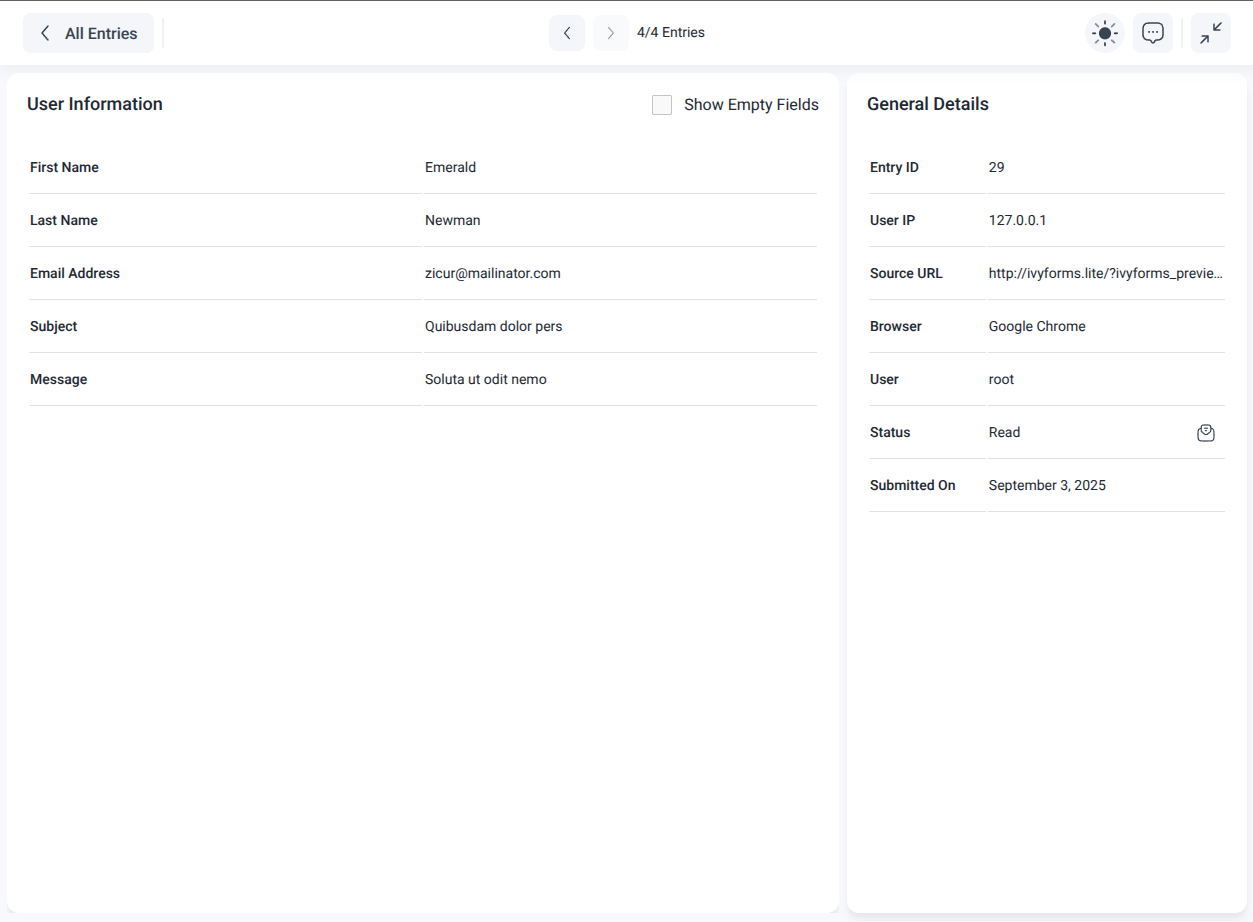
View, filter, and manage every submission from your dashboard, so your data stays organized and actionable.
Mobile-Friendly Forms
Deliver a flawless, professional experience on mobile, tablet, and desktop and capture more submissions everywhere.
Dark / Light Mode
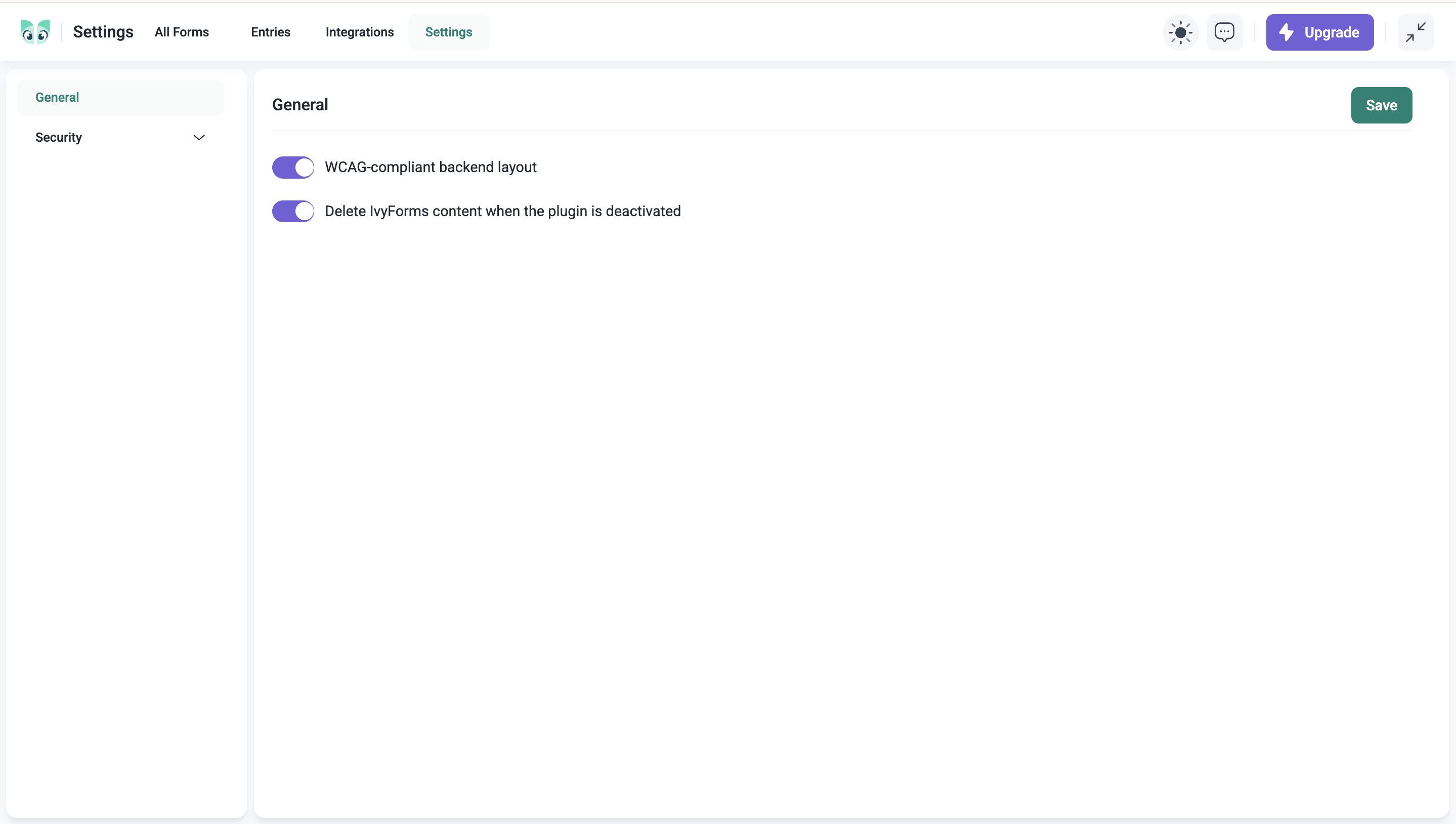
Match your admin style with sleek, dark and light options for a modern, comfortable workspace.
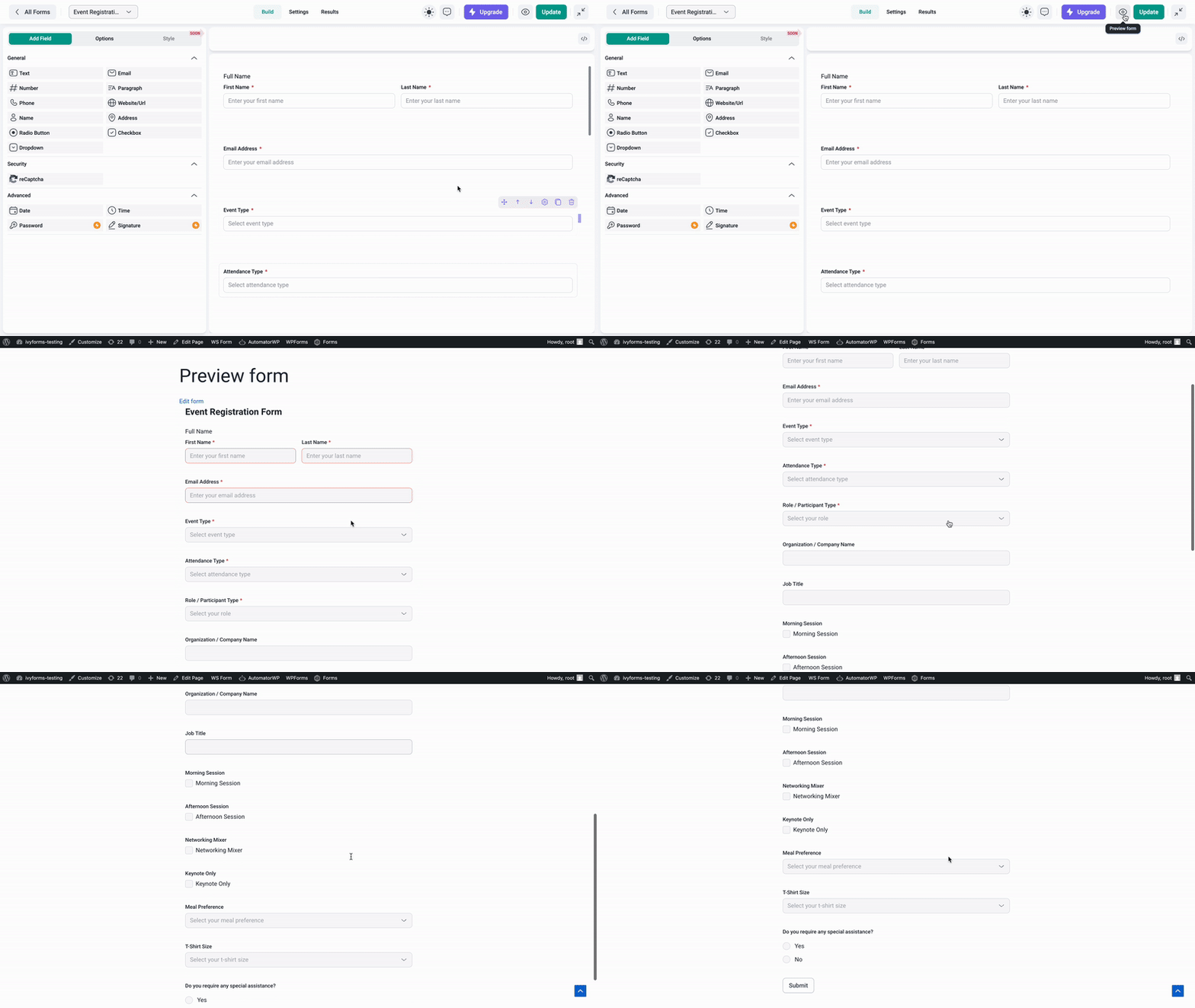
Live Form Preview
See your form exactly as users will as you build it, so you catch issues before you publish.
Customization & Styles
Adjust layouts, colors, spacing and appearance to match your brand – no CSS required.
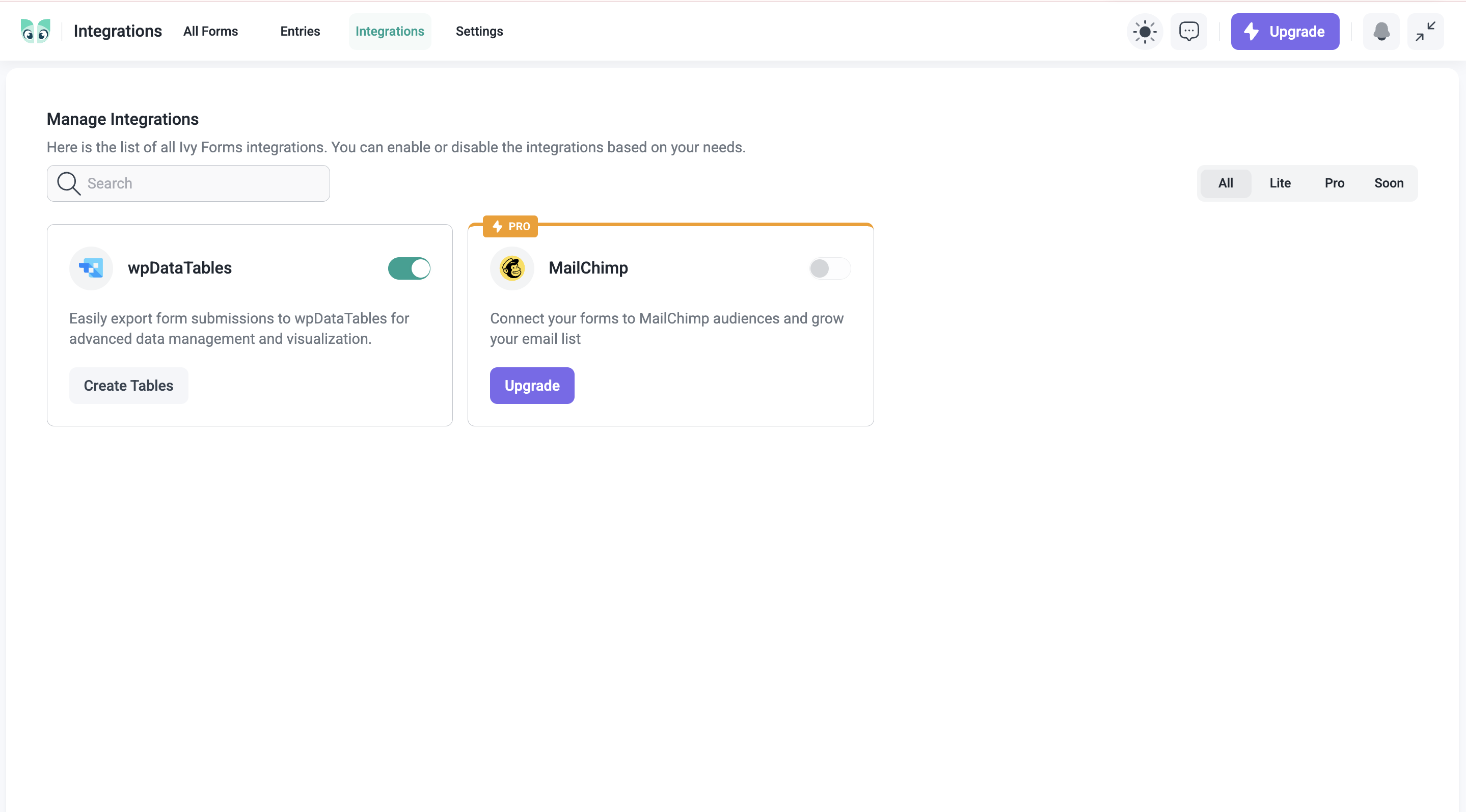
wpDataTables Integration
Turn raw submissions into sortable, filterable tables and charts to spot trends and share insights fast.
Slack Integration
Get an instant Slack notification the moment someone submits a form, so your team can act on new leads, feedback and responses without leaving Slack.
Form Fields in IvyForms Lite
- Text – Collect open-ended answers like names, messages or feedback.
- Number – Capture numeric data such as quantities, ages or amounts.
- Email – Validated email capture for leads and signups.
- Phone – Structured phone input with country-code selection.
- Website/URL – Accept and validate links or web addresses.
- Name – First/last name fields to personalize submissions.
- Address – Full address capture for shipping, events or bookings.
- Radio Button – Let users pick one option from a clear list.
- Checkbox – Allow multiple selections or consent opt-ins.
- Dropdown – Clean, organized menus for single or multi-select.
- Date – Easy date picking for bookings and scheduling.
- Time – Quick, accurate time selection.
- Rating – Star-style ratings for feedback and reviews.
- Slider – Pick a value along a range with a simple slider.
- GDPR Agreement – Add a consent checkbox for compliant data collection.
- HTML – Insert custom HTML content anywhere in the form.
- File Upload – Let users attach documents, images or files.
- Product – Add purchasable items for order and payment forms.
- Quantity – Let users set how many of an item they want.
- Total – Automatically calculate and display the order total.
IvyForms Pro | Form Builder Features & Integrations
Take your form building to the next level with IvyForms Pro – built for professionals who want smarter, more dynamic forms and deeper integrations.
Multi-Step Forms
Make long forms easy to complete by breaking them into logical steps. Multi-step forms improve the user journey, reduce drop-offs and increase submission rates – ideal for applications, onboarding and detailed registrations.
Conversational Forms
Turn any form into a friendly, one-question-at-a-time experience. Conversational forms keep users focused and engaged, lifting completion rates on surveys, quizzes and lead-generation forms.
Multiple Confirmations with Conditional Logic
Show the right follow-up to the right person. Based on how users answer, display a different success message or redirect them to a different thank-you page – so every submission ends with a relevant, personal response.
Multiple Notifications with Conditional Logic
Route every submission to the right inbox. Send different email notifications to different team members based on how users answer – so sales, support, and billing each get only the entries that matter to them.
Smart, Conditional Forms
Show or hide fields based on what users choose, so every visitor sees a shorter, more relevant form and completes it more often.
Backend Entry Management
Add and edit entries directly from your dashboard. Fix a typo, log a submission that came in by phone or update records without ever touching the database – full control over your data in one place.
Integrations: Webhooks & REST API
Connect IvyForms to the rest of your stack and automate the busywork. Push submissions to any system in real time with Webhooks, link thousands of apps through Zapier, or build fully custom workflows with the REST API.
Multisheets Integration
Go beyond a single spreadsheet. Sync entries across multiple Google Sheets for advanced reporting, team collaboration and cleaner data organization.
Form Themes
Apply polished, predefined style themes in a single click and give every form a professional, on-brand look – with no design work required.
Pro Form Fields
Unlock advanced fields built for richer data collection: Rich Text, Section, DateTime, Likert Scale, Net Promoter Score (NPS) and Multi-file upload – perfect for surveys, feedback, agreements and detailed submissions.
If you want to use these advanced features, check our lifetime and annual plans and choose the one that suits your needs. You’ll get everything in Lite, all Pro features, and every future Lite feature we release.
How to Use IvyForms Pro
Using IvyForms Pro is simple, but one thing is worth clarifying up front: the Pro version works as an add-on to the free (Lite) plugin. That means you always need the Lite version installed and active – it’s the core engine. The Pro add-on then unlocks all premium features on top of it.
Once both are active, the Pro tools appear right inside your form builder. From there you can create advanced forms, enable premium fields, use conditional logic, and access all the extra customization options that come with Pro – without changing your existing workflow.
Coming Soon
Square payments (Lite), Slack integration (Lite), Repeater field (Pro), Save & continue later (Pro), Surveys (Pro), and email integrations.
USEFUL LINKS FOR OUR FORMS
Official Page || Documentation || Youtube || Instagram || Facebook || Blog || Pro Versions
External services
This plugin connects to the ipwho.is API to obtain country code information for phone number field localization. This feature helps improve user experience by auto-selecting the appropriate country code for phone input fields.
What data is sent:
– The plugin sends an IP address lookup request to ipwho.is when a form with a phone number field is loaded
– No personal identifying information is explicitly sent, but the user’s IP address is implicitly transmitted as part of the request
When data is sent:
– Only when forms with phone number functionality are loaded and used
This service is provided by „https://ipwhois.io“:
– Terms of service: https://ipwhois.io/terms
– Privacy policy: https://ipwhois.io/privacy
Снимки на разширението
Blocks
This plugin provides 1 block.
- IvyForms Embed an IvyForms Form in your content
Инсталиране
Installation of the plugin is really simple.
- Install using one of these options:
- Install directly from WordPress Admin panel: go to Plugins -> Add New -> Search for „IvyForms“, and click the Install button.
- Download the ZIP manually from WordPress’ plugins repository, and upload it through WordPress Admin panel: go to Plugins -> Add New -> Upload Plugin, browse to the downloaded Zip and upload it.
- Download the ZIP, extract it and manually upload the extracted folder through FTP to the
/wp-content/plugins/directory of your WordPress installation.
- Activate the plugin through the ‘Plugins’ menu in WordPress.
- Navigate to the IvyForms tab at the bottom of your admin menu and click the “Add New” button to begin creating your new WordPress contact form.
- That’s it!
ЧЗВ
-
Who should use IvyForms?
-
IvyForms form builder is perfect for business owners, bloggers, designers, developers, photographers, and basically everyone else. If you want to create a custom WordPress form, then you need to use the IvyForms drag & drop form builder.
-
Where do I report security bugs found in this plugin?
-
Please report security bugs found in the source code of the IvyForms plugin through the Patchstack Vulnerability Disclosure Program. The Patchstack team will assist you with verification, CVE assignment, and notify the developers of this plugin.
Отзиви


Сътрудници и разработчици
“The Innovative Form Builder – IvyForms” е софтуер с отворен код. Към разширението са допринесли следните хора:
Сътрудници


“The Innovative Form Builder – IvyForms” е преведено на 2 езика. Благодарности на преводачите за техния принос.
Превеждане на “The Innovative Form Builder – IvyForms” на вашия език.
Имате интерес към разработване?
Преглеждане на кода, разглеждане на SVN хранилище, или абонамент към програмната история (log) чрез RSS.
Списък с промени
1.5.1
- Added support for IvyForms Pro payments, including Stripe and PayPal.
1.5
- Added AI choice generation for Dropdown, Radio, and Checkbox fields.
- Added import from WPForms and Gravity Forms.
- Added CC and BCC recipients to email notifications.
- Added a Disable styles option so forms can inherit the theme styling.
- Improved compatibility with PHP 8.5.
- Fixed moving an added field in the form builder.
- Fixed Email and Confirm Email field spacing on the frontend.
- Fixed editing HTML code in the Message field.
- Fixed console errors when opening a new form in the form builder.
- Fixed an error when clicking the Message field in Confirmations.
- Fixed the HEX color input in the Style tab overwriting manually typed values.
- Fixed form export failing when no notifications are configured.
- Fixed {{all_data}} in notifications ignoring the reordered field order.
1.4.1
- Replaced locked Pro style themes with a single upgrade card for Lite users.
- Fixed automatic language detection for the Phone field on the frontend.
- Fixed Number field placeholder alignment on the frontend.
- Fixed custom required messages not being saved for First Name and Last Name subfields.
- Restored PHP 7.4 compatibility when saving field settings.
1.4
- Added AI form generation from a text prompt.
- Added import from WS Form and Fluent Forms, including conditional logic.
- Aligned MCP AI assistant capabilities with user permissions and enabled the toggle by default.
- Added usage tracking for paid users.
- Showed Field ID on the Slider field General tab.
- Aligned entry details field order with the form layout.
- Prevented the add-field panel from being cut off when the license-inactive notice is shown.
- Aligned columns in the Settings permissions table.
- Fixed IvyEditor HTML component issues.
- Fixed padding in the form selection field.
- Fixed template card images not visible in Safari on macOS.
- Fixed the payment fields „Show layouts“ control showing next to CSS Classes.
- Hardened MCP form create, settings, and add-field helpers used with Angie AI.
1.3
- Added Google Sheets integration.
- Added a new Applications & Careers Forms category with free job, internship, contractor, and rental application templates.
- Added 21 new form theme templates.
- Added support for HTML in field descriptions.
- Renamed the „Preview“ button to „View“ in Entries and Results tables.
- Fixed issue with template cards changing size and font size.
- Fixed Quantity field automatically mapping to the first product without explicit selection.
- Fixed File Upload „Save uploads to“ option having no effect.
- Fixed IvyForms MCP server registration failing when the Angie AI plugin is active.
1.2
- Added Product, Quantity, and Total fields for building order and payment forms.
- Added File Upload field.
- Added role and user based permissions for controlling access to forms.
- Added Undo and Redo in the form builder.
- Extended styling options for fields.
- Added the option to include form styles when importing and exporting forms.
- Added default placeholder values for form fields.
- Added a confirmation step when enabling content deletion on uninstall.
- Updated MCP abilities to support the newly added field types.
- Refactored admin routing to use hash-based (#) URLs.
1.1.1
- Integration with Amelia – Booking for Appointments and Events Calendar.
- Fixed and improved Name field subfield reordering in the form builder.
1.1
- Compatibility with WordPress 7.0 approved.
- Added Slider field.
- Added GDPR field.
- Added MCP integration for AI agents (WordPress 6.9+).
- Improved conditional logic and notification workflows.
- Refactored forms and entries tables for better performance and reliability.
- Fixed forms and entries table layout, date pickers, and bulk actions after failed API calls.
1.0
- Added form styling options, so you can now fully customize your forms!
- Forms import and export.
- Elementor integration.
- Integration with Angie AI (Elementor AI Agent).
- Lazy loading implemented for templates.
- All hover actions are available from the three-dots menu.
- “Show empty fields” option in notification settings.
- Increased description field length.
- Fixed missing last column on tablet resolution.
- Fixed required validation message displaying incorrectly.
- Fixed email confirmation options.
- Fixed hover behavior over pages in the form builder.
- Fixed sorting on the Author column.
- Fixed calendar picker.
- Fixed multiple submits when the Submit button was clicked repeatedly.
- Fixed missing label and divider for column visibility on the Results page.
- Fixed Date Submitted column showing the current date instead of the entry date.
- Fixed disabling fields inside the Address field.
- Fixed conflict with certain roles and IvyForms.
- Fixed integration logic with wpDataTables.
0.9.1
- Fixed form creation issues on PHP 7.4.
Other small bug fixes and stability improvements.
0.9
- Added a new field – HTML field for adding custom HTML content to your forms.
- Preserve table state (pagination, filters, sorting) when navigating from pages with tables to other pages and back.
- Added bulk actions for starring/marking as read for tables with forms and entries.
- Added new templates for collecting feedback and reviews.
- Added a search functionality to fields in the form builder.
- Added options for enabling search and shuffle options in fields with options.
- UX/UI improvements for better user experience and interface consistency.
Other small bug fixes and stability improvements.
0.8.2
- Added a new field – Rating field for collecting user ratings in your forms.
- UX/UI improvements for better user experience and interface consistency.
Other small bug fixes and stability improvements.
0.8.1
- Implemented Turnstile integration for security and spam protection.
- Implemented hCaptcha integration for security and spam protection.
- Fixed issue with duplicate form name display in Form Builder.
- Fixed table blinking issue on window resize.
- Fixed issue with fields options loader not displaying correctly.
- Fixed issue with opening a blank page on the Entries tab when navigating from the Results page.
- Fixed issue with duplicate form creation.
- Fixed issue with form not displaying correctly after submit.
- Fixed issue with creating a form from the All Forms page.
- Added several new Templates.
- Implemented comprehensive input validation and improved error handling.
- Added a loader to the Submit button.
- Reorganized Template links and categories for better usability.
- Enabled entry deletion via the “Delete” action on the Entry Details page.
- Various UX/UI improvements and stability enhancements.
Other small bug fixes and stability improvements.
0.8
- Gutenberg Block for IvyForms – added the ability to add forms using a dedicated block in the Gutenberg editor.
- Fix for the notice in Preview mode for null post type.
Other small bug fixes and stability improvements.
0.7
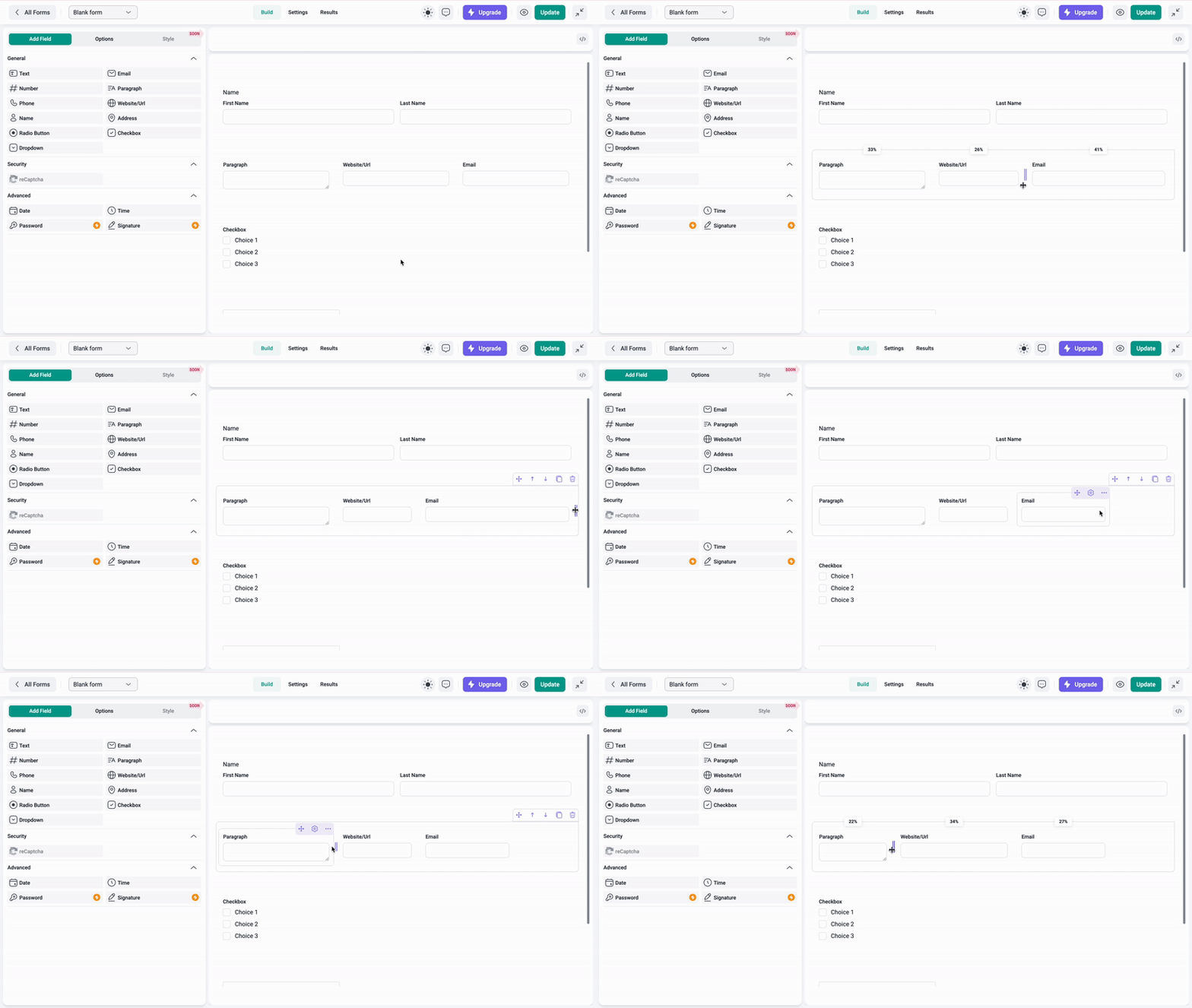
- Implemented the functionality of multiple fields in a row.
- Implemented the possibility to drag and drop fields in a row to reorder them.
- Implemented the ability to set the width of each field.
- Added a „Reply-To“ option in the Notification settings to set the email address where users can reply to the notification email.
- Improved the visibility of Fields with triggered Errors on Form Submission by scrolling to the first errored field.
- Synced the Default Value with the Selected Date Format.
- Added Bulk Edit functionality to Option Fields (Checkbox, Radio Button, Dropdown) in Form Builder.
- Each Field’s Options now show the Field Type for easier identification.
- Added ability to customize the Submit button.
- Added several new Templates.
- Enhanced Date Picker Filter with Preset Periods.
- Added a loader to Form Builder canvas area during initial load and form switch.
- Added a warning for deleting Forms with existing Entries.
- Added Deactivation and Deletion popups for plugin lifecycle actions to improve user experience.
- Improved visibility when adding new Fields in Form Builder.
- Fixed issue with CSS overriding site fonts.
- Fixed issue with the Submit button for non-logged-in users.
- Fixed issue with the action buttons.
- Fixed issue with Number Field range.
- Fixed various routing issues.
- Various styling improvements for better UX/UI.
Other small bug fixes and stability improvements.
0.6.1.1
- Fixed issue with the vendor directory.
Other small bug fixes and stability improvements.
0.6.1
- Compatibility with WordPress version 6.9 approved.
Other small bug fixes and stability improvements.
0.6
- Added several new form templates for quick form creation.
- Added template categories and favorites for easier navigation.
- Added Date field.
- Enhanced Date Picker Filter with predefined ranges.
- Fixed various HTML Editor-related issues.
- Fixed various CSS-related issues to improve layout and styling consistency.
Other small bug fixes and stability improvements.
0.5
- Integration with wpDataTables plugin to create tables and charts from Form Entries.
- Added Checkbox field.
- Added Single-Select Dropdown field.
- Added Multi-Select Dropdown field.
- Added Time field.
- Enhanced backend plugin implementation to fully support WCAG standards.
- Added new Advanced Options (Field Label Position, Prefix/Suffix, No Duplicates) for relevant fields.
- Implemented better UX/UI for Field Options panel for Radio Button.
- Fixed issues with Admin pages containing tables pagination, resize and filters.
- Fixed issues with Address Field.
- Fixed issue with Phone Field format.
- Fixed issue with Email field validation.
- Fixed various CSS-related issues to improve layout and styling consistency.
Other small bug fixes and stability improvements.
0.4
- Added Name field.
- Added Radio Button field.
- Added Address field.
- Added Advanced Options (Max Length, Default Value, Field Label Position, No Duplicates) for relevant fields.
- Added new general field settings for relevant fields.
- Added Dynamic Placeholder Linking in Notification and Confirmation Settings.
- Added option in Global Settings to enable WCAG-compliant backend.
- Fixed issue with fatal error on activation due to DI\Container declaration conflict in WP 6.8.2.
- Fixed issue with date filter not returning results for exact date selection.
- Fixed issue with unsaved changes popup appearing despite saving.
- Fixed issue with New Form popup overflowing on smaller screens.
- Fixed drag and drop and field reorder errors.
- Fixed various CSS-related issues to improve layout and styling consistency.
Other small bug fixes and stability improvements.
0.3.1
- Added Website field.
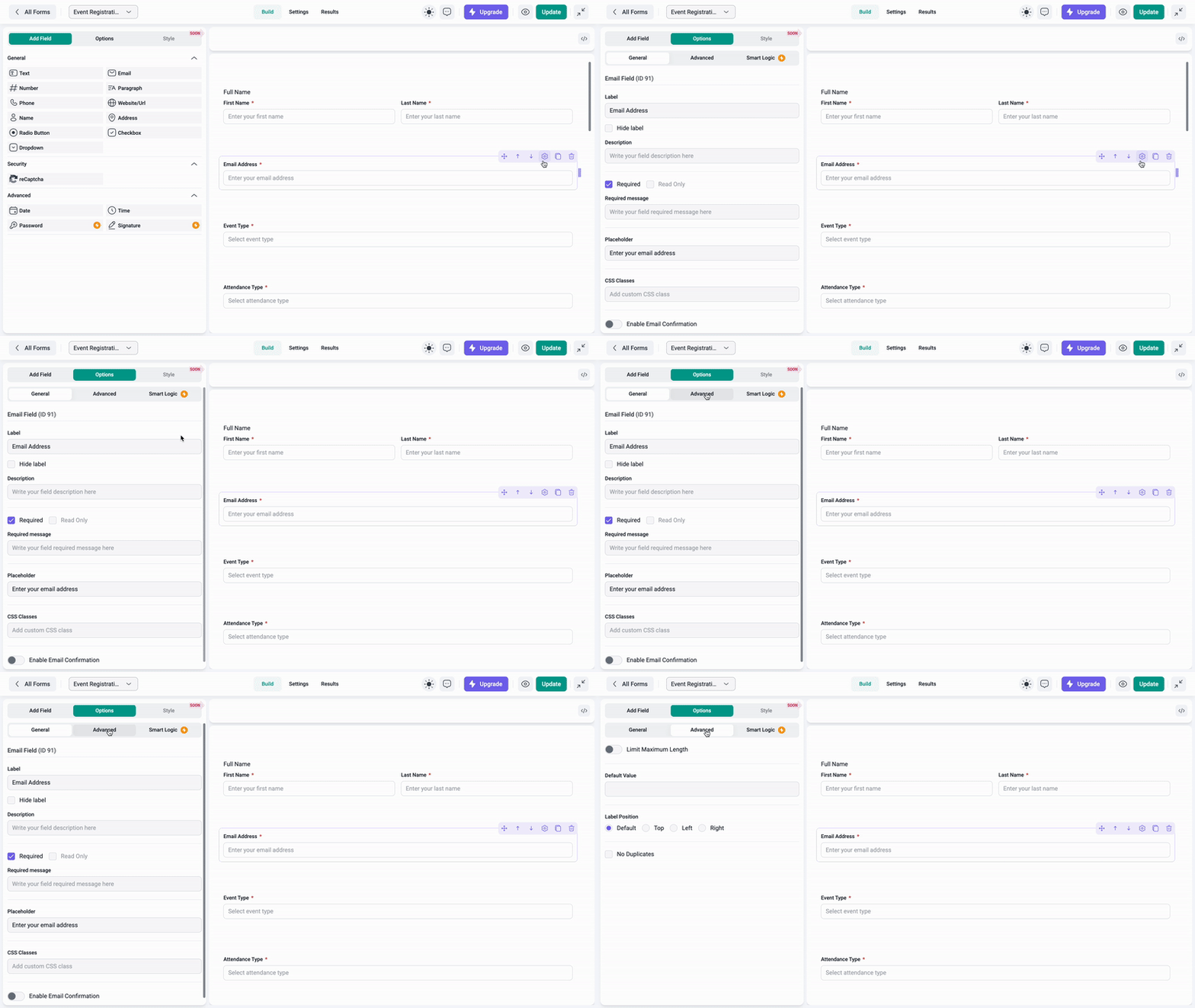
- Added new general field settings including Hide Label, Read Only, Description, Required Message, CSS Classes.
- Fixed issue with reload on Confirmation tab causing warning popup to appear.
- Fixed various CSS-related issues to improve layout and styling consistency.
- Fixed issue with delayed tab switching due to prolonged success message after form save.
- Fixed issue with confirmation messages generated using form id instead of confirmation id.
- Fixed issue with reload on Confirmation tab causing warning popup to appear.
- Fixed issue with creating a new form from template causing error.
0.3
- Implemented reCaptcha integration for security.
- New Admin page for Settings and reCaptcha configuration.
- Added logic for storing Form Submissions as Entries in the database.
- New Admin page for listing and handling Form Entries.
- New Results tab in the Form Builder page for displaying the Entries of the Form.
- Added option to enable/disable Entry storage of a single Form in the database.
- Added Entry Details view in the Admin to see individual submission data
- Added a new Form creation step – Picking from Templates or starting from scratch
- Create a Contact Form using template for quick form creation
Other small bug fixes and stability improvements.
0.2.1
- Implemented scrollbar variations and consistent pagination across tables.
- Added loader to Save button and matched its size with Update button.
- Added support icon to the header for quicker help access.
- Fixed issue with form preview not working when plugin is installed in a subfolder.
- Fixed issue with Settings page breaking after editing Confirmation tab.
- Fixed issue with „Rows per page“ after table action on All Forms Page.
- Fixed issue with sorting after All Forms table actions.
- Fixed inconsistent filter indicator behavior.
Other small bug fixes and stability improvements.
0.2
- Full WCAG compliance across all frontend elements.
- Added the option to publish or unpublish each form from its settings.
- Enhanced search logic in the Notification table.
- Improved filters on the All Forms table.
- „Redirect to page“ dropdown now shows the page name instead of the ID.
- Fixed a drag-and-drop issue in the Form Builder.
- Fixed an issue with duplicated forms.
- General UI/UX improvements (tooltips, sticky buttons, pagination behavior, scroll styling, etc.).
- CSS fixes.
- Compatibility with WordPress version 6.8.2 approved.
Other small bug fixes and stability improvements.
0.1.2
- Initial MVP ( minimum viable product ) release