
Описание
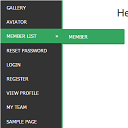
WordPress widget menu for show menu vertically in your site side bar.
Features
- Add vertical menu to your widget area.
Инсталиране
- Upload the entire
sm-vertical-menufolder to the/wp-content/plugins/directory - Activate the plugin through the ‘Plugins’ menu in WordPress
After activate plugin you will see „SM Vertical Menu“ in your widget.
First create a Menu from menu tab.
After creating menu you need to add vertical menu to your sidebar and select the menu and save it.
Usage
- Go to Widget.
- Add SM Vertical Menu to your sidebar.
- Select the menu and save.
ЧЗВ
- Installation Instructions
-
- Upload the entire
sm-vertical-menufolder to the/wp-content/plugins/directory - Activate the plugin through the ‘Plugins’ menu in WordPress
After activate plugin you will see „SM Vertical Menu“ in your widget.
First create a Menu from menu tab.
After creating menu you need to add vertical menu to your sidebar and select the menu and save it.
Usage
- Go to Widget.
- Add SM Vertical Menu to your sidebar.
- Select the menu and save.
- Upload the entire
Отзиви

06.01.2024
An excellent menu that helped me produce results for the client.

21.12.2018
It doesn’t work. Don’t spend your time trying!!!

20.10.2016
1 reply
It’s a very excellent plugin for vertical menu. But I would like to get option to change color.
Сътрудници и разработчици
“SM Vertical Menu” е софтуер с отворен код. Към разширението са допринесли следните хора:
Сътрудници
Превеждане на “SM Vertical Menu” на вашия език.
Имате интерес към разработване?
Преглеждане на кода, разглеждане на SVN хранилище, или абонамент към програмната история (log) чрез RSS.