Описание
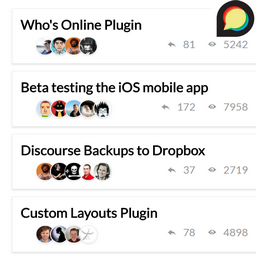
This plugins aims to provides widgets that make your discourse forum more visible in your wordpress website.
Getting started
In order to retrieve data from your discouerse instance, all you need to do is going to Appearance->Widget, add the widget named „Discourse Widget“, then specify the URL of your discourse website. You can also choose whether to display top topics or latest topics.
Снимки на разширението

Инсталиране
- Upload the plugin files to the
/wp-content/plugins/discourse-widgetdirectory, or install the plugin through the WordPress plugins screen directly. - Activate the plugin through the ‘Plugins’ screen in WordPress
- Go to Appearance->Widgets, then add „Discourse Widget“
- Specify the URL of your Discourse website as well as the title of your widget
ЧЗВ
- Installation Instructions
-
- Upload the plugin files to the
/wp-content/plugins/discourse-widgetdirectory, or install the plugin through the WordPress plugins screen directly. - Activate the plugin through the ‘Plugins’ screen in WordPress
- Go to Appearance->Widgets, then add „Discourse Widget“
- Specify the URL of your Discourse website as well as the title of your widget
- Upload the plugin files to the

Сътрудници и разработчици
“Discourse Widgets” е софтуер с отворен код. Към разширението са допринесли следните хора:
Сътрудници
Превеждане на “Discourse Widgets” на вашия език.
Имате интерес към разработване?
Преглеждане на кода, разглеждане на SVN хранилище, или абонамент към програмната история (log) чрез RSS.
Списък с промени
0.2
- Code Refactoring
0.1
- Initial version